
How to Turn a Year of Lesson Plans Into an Online Course
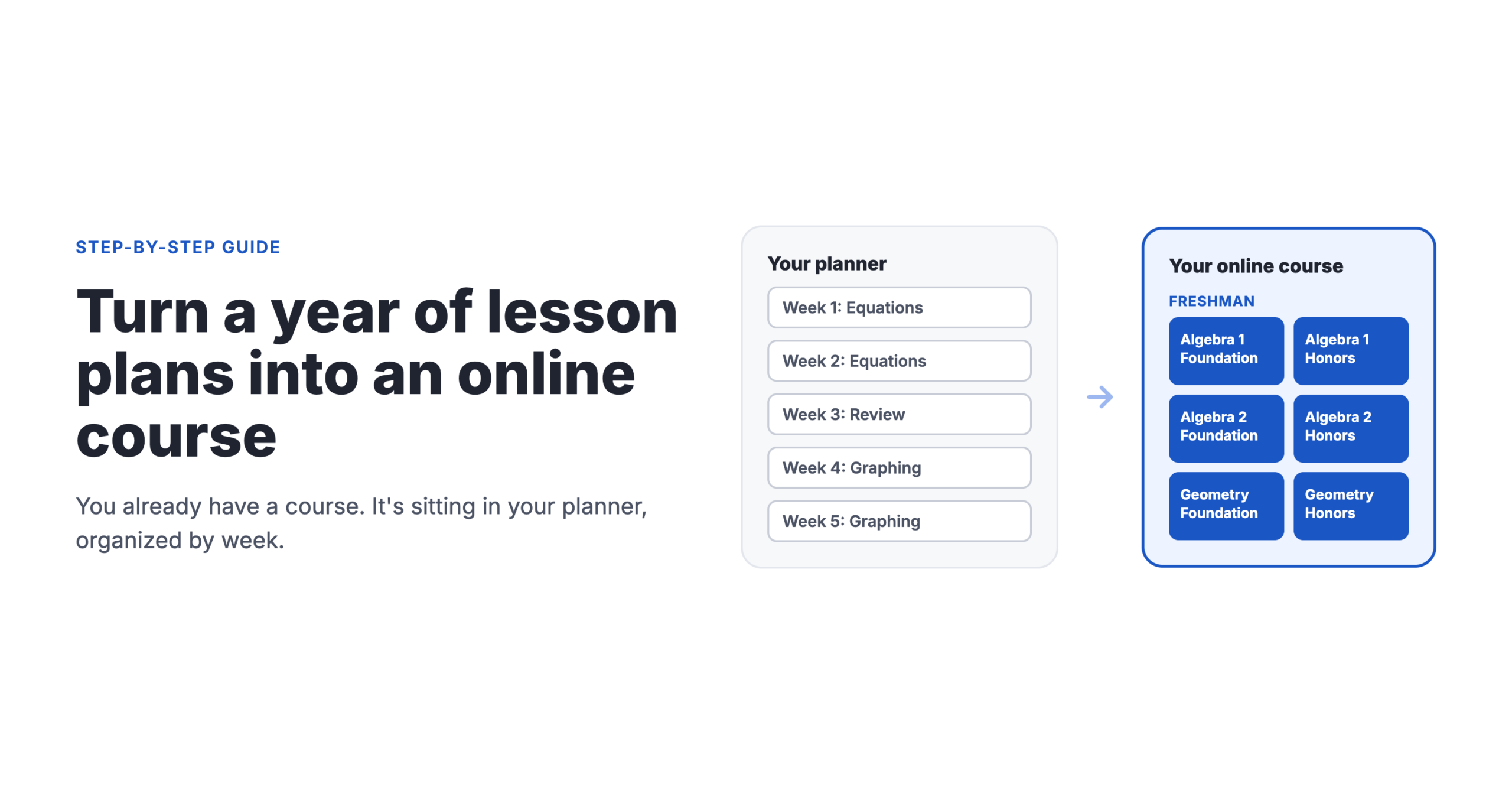
You already have a course. It’s sitting in your planner, organized by week.
Most people who want to teach online start by staring at a blank page, wondering what to make. If you’ve taught for even one year, you’re ahead of them. You’ve already decided what comes first, what builds on what, and where students tend to get stuck. That’s the hard part of building a course, and it’s done.
What’s left is reshaping it. A year of teaching is organized around the calendar: semesters, weeks, class periods. An online course is organized around the learner: levels, topics, short lessons they can take at their own pace. This guide walks through how to turn one into the other, step by step, with a full example at the end.
It works for any kind of teaching with a plan behind it: a classroom subject, a tutoring program, a music studio’s lesson book, or a coach’s season of drills.
First, a quick note on whose plans they are
If you run your own studio, tutor independently or coach on your own, your lesson plans are yours. Skip ahead.
If you teach at a school, the documents you made for your job may belong to your district. Your knowledge, your sequence and your way of explaining things are yours. So use your old plans as a map, and make fresh materials for your online course on your own time and equipment. We cover this in more detail in 71% of Teachers Have a Side Job (general information, not legal advice).
Step 1: Map your program onto ClassSync’s levels
A school year is organized by time. An online academy is organized the way students choose what to take. The trick is to keep your sequence but drop the calendar.
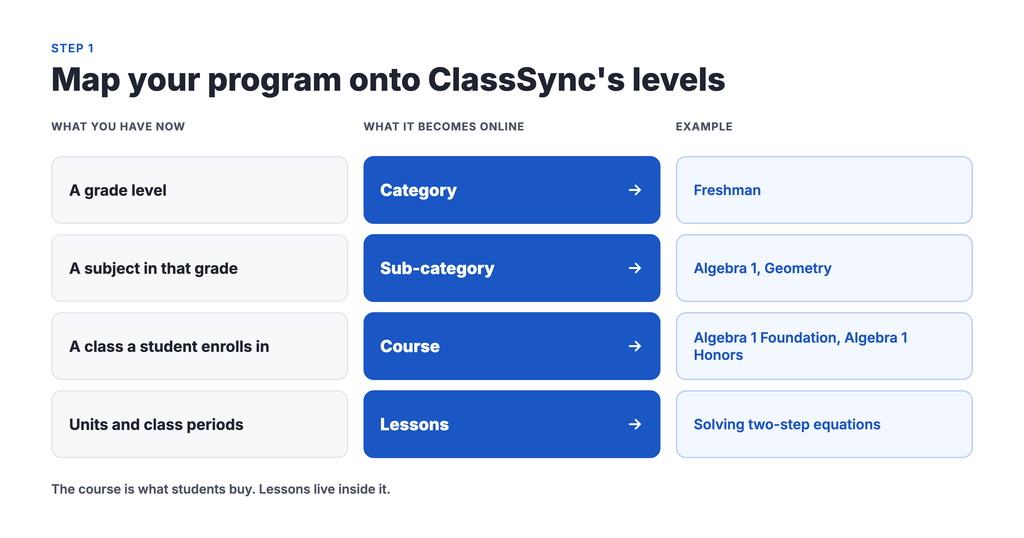
ClassSync organizes an academy into categories, sub-categories, courses and lessons. The course is what students buy. Lessons live inside a course and aren’t sold on their own.
Here’s how a math teacher’s program lines up:
| What you have now | What it becomes on ClassSync | Example |
|---|---|---|
| A grade level | Category | Freshman |
| A subject taught in that grade | Sub-category | Algebra 1, Geometry |
| A version of the class a student enrolls in | Course (what students buy) | Algebra 1 Foundation, Algebra 1 Honors |
| Units and class periods | Lessons inside the course | Solving two-step equations |
Organizing by grade means a parent can land on your academy, click “Freshman,” and see every class their child might need, side by side.
Two things to watch for:
- Split a class by track, not by unit. If you teach the same subject at two levels, make two courses, like Algebra 1 Foundation and Algebra 1 Honors. Each one is a full class a student can enroll in.
- Drop what only exists because of the calendar. Review weeks before a holiday, test-prep days and catch-up weeks don’t need to become lessons.
Step 2: Turn each class into a course
Each class you teach already has what a course needs: a goal, a sequence and a way to check understanding. For each course, write down three things:
- Who it’s for. Foundation or honors? What should a student already know before starting? This helps families pick the right course.
- What students can do by the end. A sentence or two. “Solve and graph linear equations and inequalities” says more than “understand Algebra 1.”
- How they’ll practice. Worksheets, short quizzes or practice sets after each lesson.
Then list your units in the order you teach them. Broken into short lessons (Step 3), they become the lessons inside the course, in the same order.
Step 3: Turn class periods into short lessons
This is where most people go wrong. A 50-minute class doesn’t become a 50-minute video. A lot of class time goes to things a video doesn’t need: taking attendance, settling the room, handing out papers, answering the same question three times.
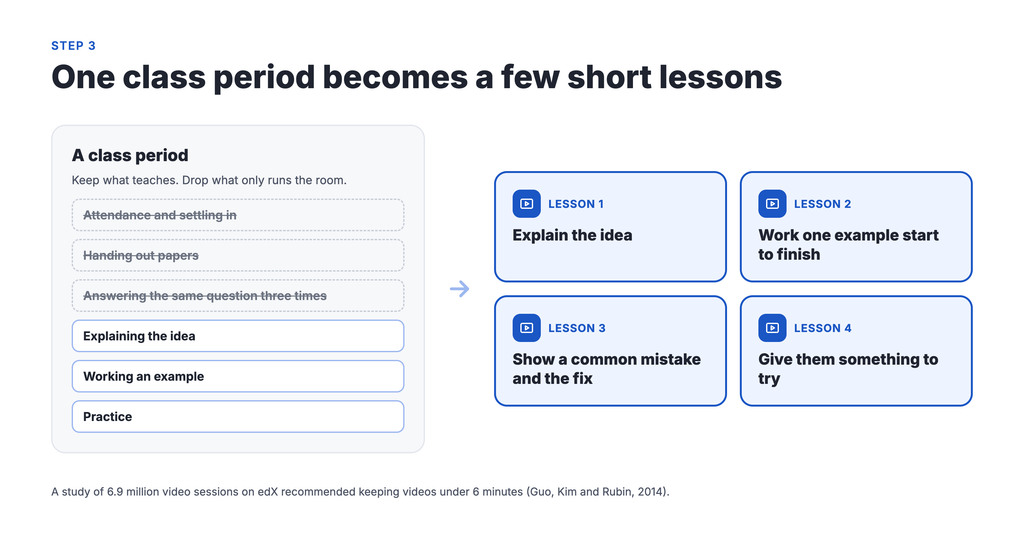
Research backs up keeping it short. A study of 6.9 million video sessions on the edX platform found that shorter videos were much more engaging, and the researchers recommended keeping videos under 6 minutes. They also found that recorded classroom lectures, even good ones, weren’t very engaging online. The study looked at college-level online courses in 2014, so treat it as a guide rather than a rule, but the lesson holds: plan for video, don’t just film class.
In practice, one class period can become two to four short lessons, each covering a single idea:
- Explain the idea (a few minutes, you on camera or a whiteboard).
- Work one example start to finish.
- Show a common mistake and how to fix it.
- Give them something to try before the next lesson.
You don’t need a studio. The same study found that informal videos of the instructor talking were more engaging than polished studio recordings. A phone, good light and a quiet room are enough to start.
Step 4: Decide how to sell your courses
On ClassSync, the course is the smallest thing a student buys. From there, you can package courses a few ways and mix them:
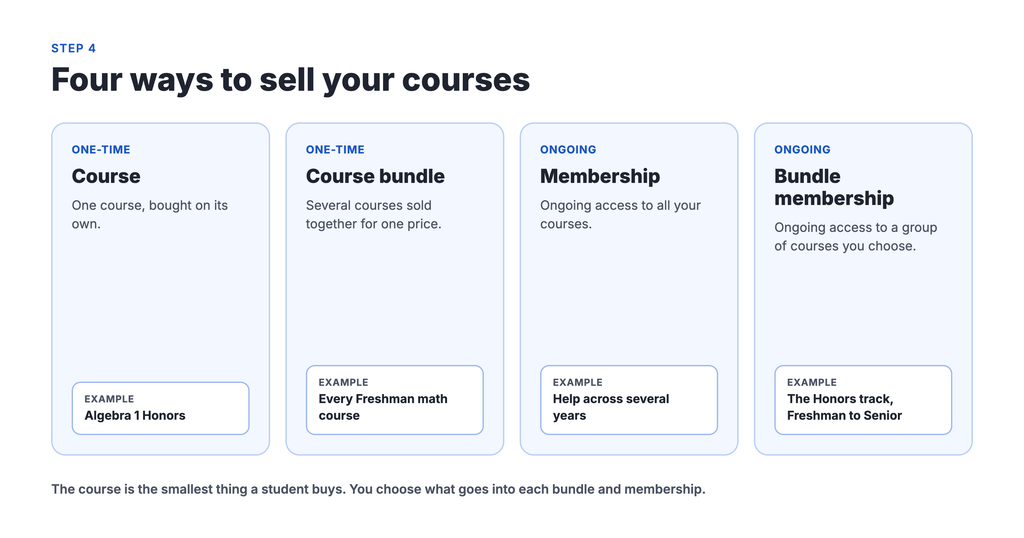
| Offer | What it is | Good for |
|---|---|---|
| Course | One course, bought on its own | A student who needs one class, like Algebra 1 Honors |
| Course bundle | Several courses sold together for one price | A full grade, like every Freshman math course |
| Membership | Ongoing access to all your courses | Families who want help across several years |
| Bundle membership | Ongoing access to a group of courses you choose | A track, like the Honors path from Freshman to Senior |
You decide what goes into each bundle and membership. Because everything sits in one catalog organized by grade, a student who comes for one course can see the rest of your program laid out.
Step 5: Start smaller than your whole program
You don’t have to put every grade online before you open. In fact, you shouldn’t. Build one category first, like Freshman, and see how students respond before you record the rest.
This also matters for your plan. ClassSync plans include a set number of courses: 3 on Launch Pad, 18 on Professional, 30 on Business+, and unlimited on Enterprise. A four-grade program with several tracks adds up fast, so count your courses before you choose.
A worked example: a high school math program
Here’s how a math teacher could lay out a program. Your subjects and tracks will differ, but the shape is the same.
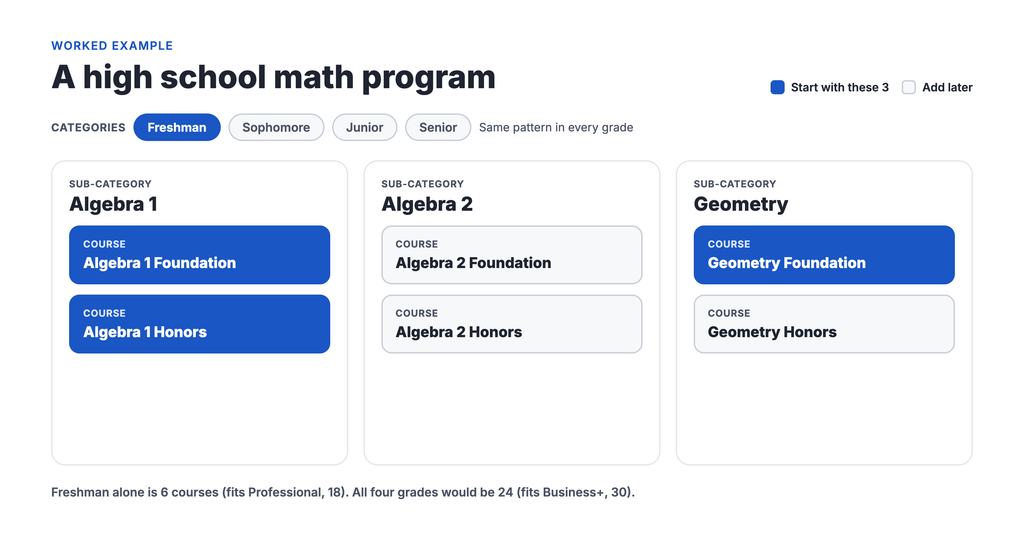
Category: Freshman
| Sub-category | Courses (what students buy) |
|---|---|
| Algebra 1 | Algebra 1 Foundation, Algebra 1 Honors |
| Algebra 2 | Algebra 2 Foundation, Algebra 2 Honors |
| Geometry | Geometry Foundation, Geometry Honors |
Then repeat the same pattern under Sophomore, Junior and Senior, with the subjects you teach at each grade.
Inside each course, your units become lessons in order. For Algebra 1 Foundation, the first two units might look like:
- Solving one-step equations
- Solving two-step equations
- Common mistake: dropping a negative sign
- What slope means
- Finding slope from two points
- Graphing from slope-intercept form
…and so on through the rest of the year.
The Freshman category alone is six courses, which fits the Professional plan (18 courses). All four grades at six courses each would be 24, which fits Business+ (30). To start on Launch Pad, pick the three courses you know best, like Algebra 1 Foundation, Algebra 1 Honors and Geometry Foundation, and add the rest as you go.
Once several courses are up, you can bundle them. All six Freshman courses could be one course bundle, and the Honors courses from every grade could be one bundle membership.
Frequently asked questions
Can I turn my lesson plans into an online course?
Yes. Your lesson plans already hold the sequence and structure a course needs. Each class you teach becomes a course, and its units and class periods become short lessons inside it. If you teach at a school, check who owns the original documents, and build fresh materials for your course.
How long should each video lesson be?
Shorter is better. A large study of online course videos on edX recommended keeping videos under 6 minutes. Aim for one idea per lesson.
Should I just record my classes?
Usually not. The same study found that recorded classroom lectures weren’t very engaging online. Plan lessons for video instead.
How do I organize a whole program on ClassSync?
Use grade levels as categories (Freshman, Sophomore), subjects as sub-categories (Algebra 1, Geometry), and each class a student enrolls in as a course (Algebra 1 Foundation, Algebra 1 Honors). Lessons go inside each course.
Can students buy a single lesson?
No. On ClassSync, the course is the smallest thing a student buys. You can also sell several courses together as a course bundle, or offer a membership with ongoing access to all your courses or a group you choose.
Do I need to put the whole year online at once?
No. Start with one grade or a few courses, see how students respond, and add more as you go.
Start with one course this weekend
You don’t need to rebuild your whole year. Pick one class you love teaching, list its units, and record the first lesson. That’s a course started.
See how a full program looks in our demo academies, Ryman Arts and Ivy Mathematics. When you’re ready, choose a plan and build your first course.