
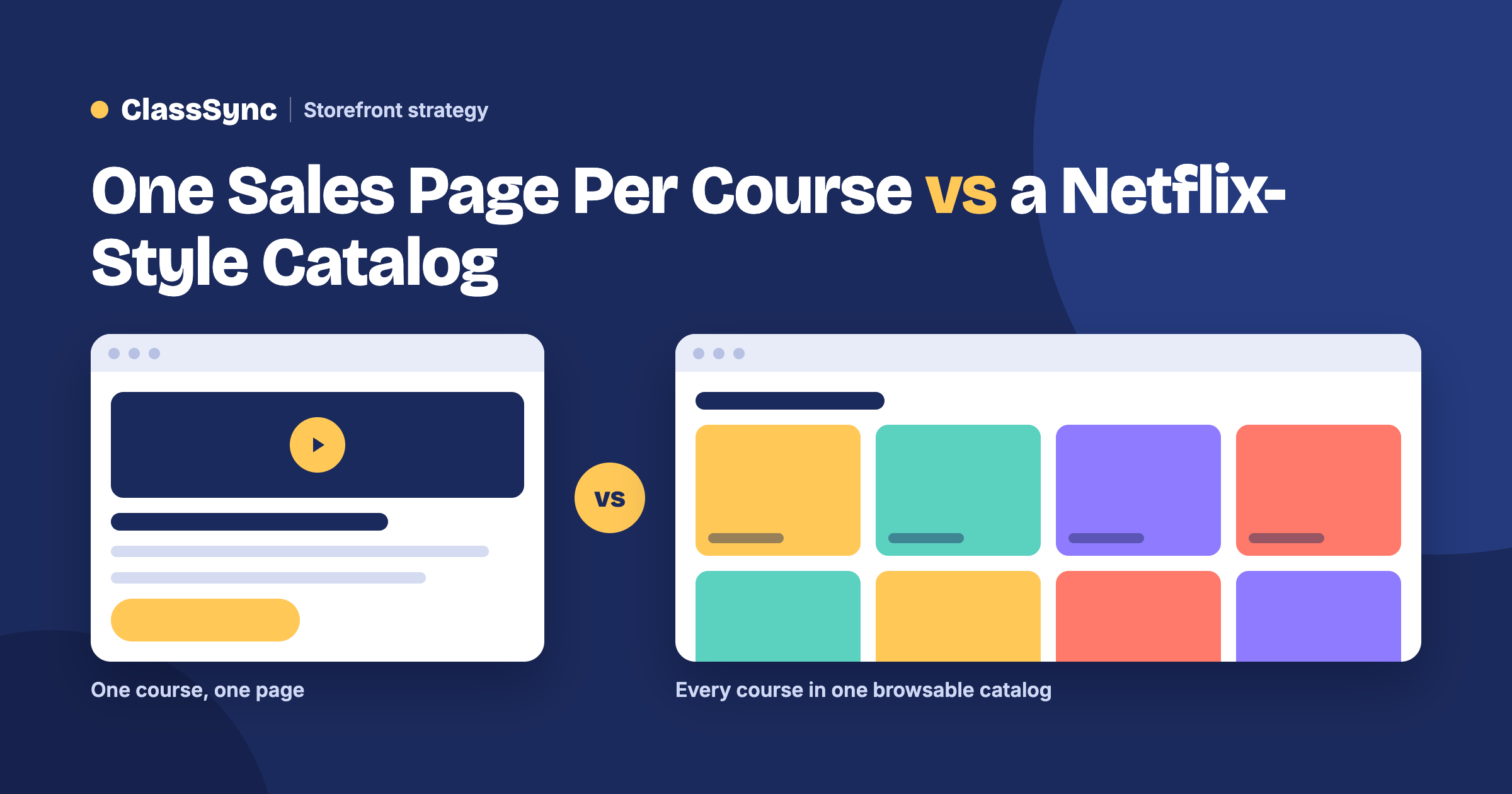
Why the way your courses are displayed affects how many you sell, and how much work it takes to sell them.
The short answer: most course platforms, like Kajabi and Teachable, are built around one sales page per course. Visitors land on a single offer, pay, and only then see the course inside. Every new course means another page to build, and buyers may never see your other courses unless you build extra pages to show them. A Netflix-style catalog, like ClassSync’s, shows all your courses on one storefront, organized by category, so every visitor sees everything you offer and is more likely to find their next course.
If you only ever plan to sell one course, the one-page model works fine. But most people who teach online don’t stop at one. In a GetResponse survey of 1,000 course creators, almost 90% said they create multiple courses. A piano teacher adds a beginner and an advanced level. A baker adds breads after cakes. A tutor adds SAT prep after algebra. That’s where the layout you choose starts to matter.
How the one-sales-page-per-course model works
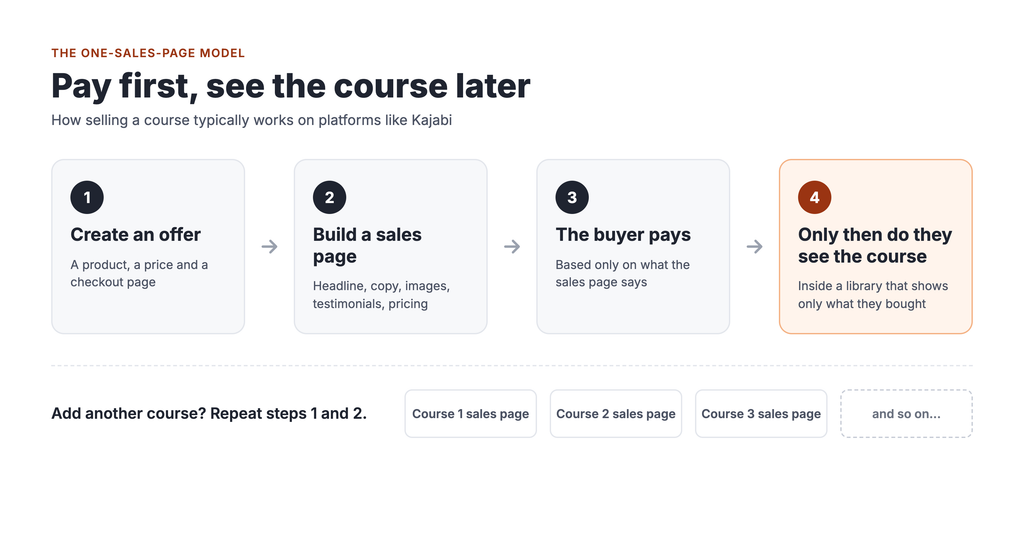
Here’s how selling a course typically works on Kajabi, based on Kajabi’s own help documentation:
- You create an Offer. Kajabi describes an Offer as one or more products combined with a price, a checkout page and a post-purchase experience.
- You build a page to sell it. The Offer gets its own checkout page, and Kajabi’s help docs note that if you don’t share the link, the Offer won’t be easy to find. So you build a sales or landing page and send people to it.
- The buyer pays.
- Only then do they see the course. After purchase, customers land in their Library, which Kajabi says only shows the products that customer has bought or been granted.
Teachable works in a similar way. Teachable automatically creates a sales page for each course, which it calls the main landing page for that course. It also offers a course directory page that lists all your courses, but each one still leads to its own separate sales page.
To be fair, both platforms have ways to promote other courses. Kajabi lets you add recommended offers to a customer’s Library, and both support upsells after checkout. But those tools mostly work after someone has already bought, and each one is something else to set up.
The hidden costs of one page per course
Every new course is a new web project
Each course needs its own sales page: a headline, a description, images, testimonials, pricing, a checkout and links from the rest of your site. For your first course, that’s a fun project. By your fifth or tenth, it’s a chore that eats into time you could spend teaching.
You may end up paying someone to build them
Building good sales pages takes design and copywriting skills many teachers, parents and hobbyists don’t have, and that’s where a whole setup industry comes in. Kajabi runs its own marketplace of experts for hire, and freelance Kajabi specialists list rates from about $15 to over $150 an hour. One real job post on Freelancer.com offered $1,500 to $2,000 to set up a Kajabi site with five courses. Each new course can mean another invoice.
Your other courses stay hidden
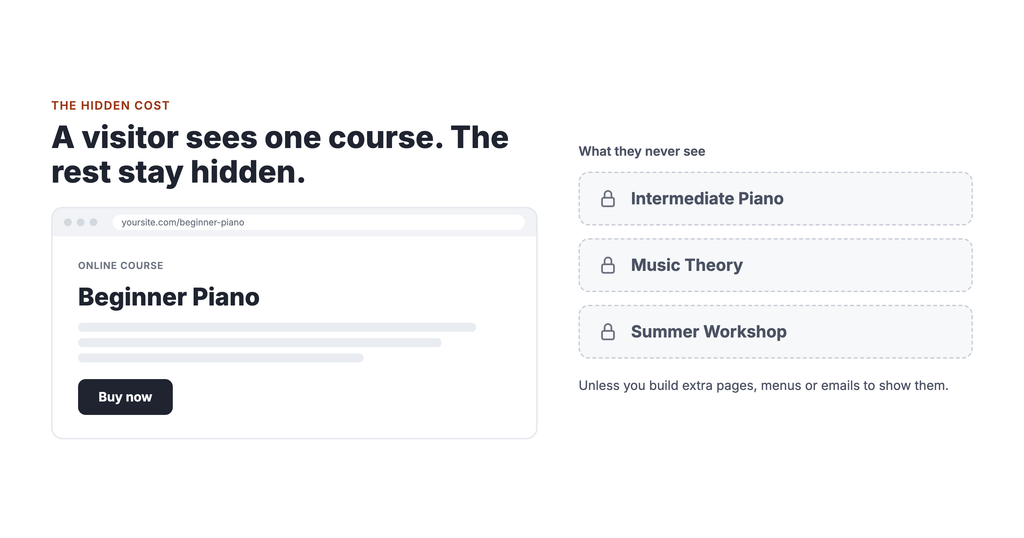
This is the cost most people never notice. Someone who finds your beginner piano sales page sees beginner piano. They don’t see your intermediate course, your music theory course or your summer workshop, unless you’ve built extra pages, menus or email sequences to show them.
A visitor who leaves without seeing your full catalog can be a sale you’ll never know you missed.
The catalog model: let people browse
Think about how you pick something to watch on Netflix. You don’t land on a sales page for one movie. You open the app and scroll through rows: Continue Watching, Trending Now, Comedies. You find things you weren’t looking for.
That’s not an accident. In a 2015 paper, Netflix’s own product leaders reported that its recommendation system, which powers those rows, influences choice for about 80% of hours streamed. Only a minority of viewing starts with a search.
A course catalog isn’t Netflix, and a small academy won’t have Netflix’s personalization. But the principle is worth borrowing: show people more, and they have more to discover.
A catalog storefront works like this:
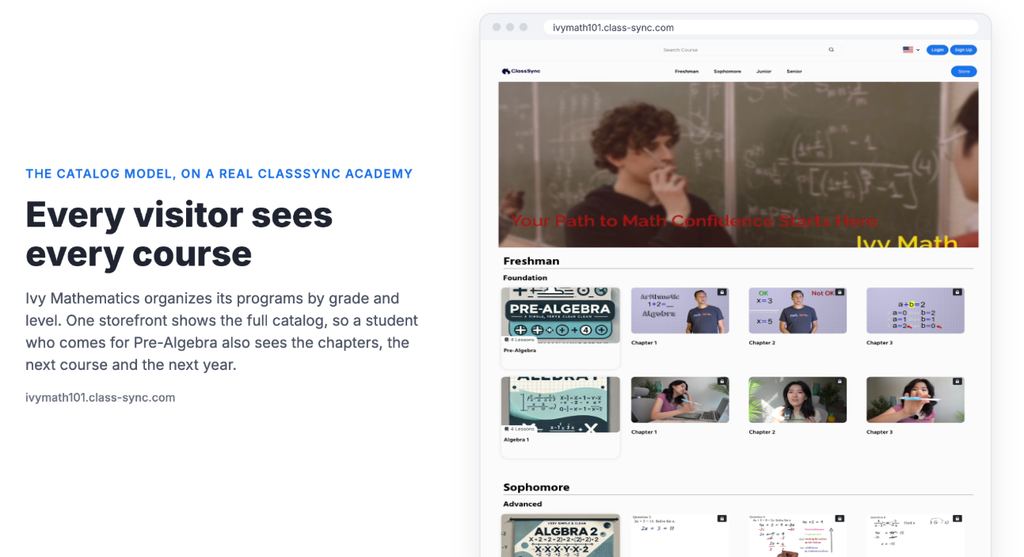
- A visitor lands on your academy and sees all your courses, organized into clear rows by category.
- They pick the course that brought them there.
- While they’re browsing, they also see the next level, a related course and your newest workshop.
- When they finish, the next course is already familiar.
Every visit becomes a chance to show your whole catalog, not just one offer. And adding a new course doesn’t mean building a new sales page. You add it to the right category on the storefront you already have.
Side by side
| One sales page per course (e.g. Kajabi, Teachable) | Netflix-style catalog (ClassSync) | |
|---|---|---|
| What a visitor sees first | One course’s sales page | Your whole academy, in rows by category |
| Adding a new course | Build or edit a new sales page and link to it | Add it to a category on your storefront |
| Seeing your other courses | Needs extra pages, menus, upsells or emails | Built in: every visitor sees the full catalog |
| Who builds it | You, or a hired designer or expert | You, with a page builder and templates |
| Best for | One flagship course with heavy marketing | Anyone with several courses or levels |
How ClassSync’s storefront works
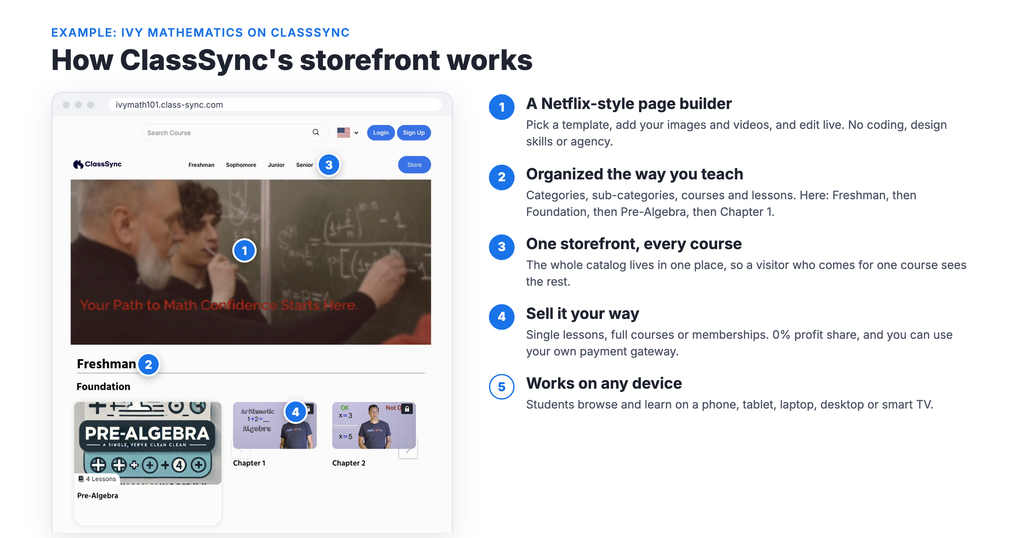
ClassSync is built around the catalog model.
A Netflix-style page builder. Pick a template, add your images and videos, and edit live. No coding or design skills needed, and no agency.
Organized the way you teach. Arrange your academy into categories, sub-categories, courses and lessons. Piano, then Beginner, then Lesson 1. Or Baking, then Breads, then Sourdough. Students can see the path from one level to the next.
One storefront, every course. Your whole catalog lives in one place, so a visitor who comes for one course sees the rest.
Sell it your way. Offer single lessons, full courses or memberships, and keep 100% of your sales. ClassSync takes no profit share, and you can connect your own payment gateway.
Works on any device. Students can browse and learn on a phone, tablet, laptop, desktop or smart TV.
Other platforms use a catalog layout too, mainly video-membership services like Uscreen. ClassSync brings that browsing experience to academies with multiple programs and levels, without the setup work of building page after page.
Frequently asked questions
Do I need a separate sales page for every course?
On Kajabi, each Offer gets its own checkout page, and you typically build a sales or landing page to send people to it. Teachable automatically creates a sales page for each course. On ClassSync, your courses live together on one Netflix-style storefront, so a new course goes into a category rather than onto a new page.
Can students see my courses before they buy?
On Kajabi, the Library only shows products a customer has bought or been granted, so the course itself is behind the purchase. Visitors see your sales pages first. On ClassSync, visitors browse your full storefront and see every course you offer.
How do I get students to buy more than one course?
Show them your other courses. A catalog layout puts your full range in front of every visitor. On one-page-per-course platforms, you’ll need upsells, recommended offers or email sequences to do the same job.
Is a Netflix-style layout good for small academies?
Yes, as long as you have more than one course or level. Even three courses arranged by level show students a clear path forward.
Put your whole academy on display
See what a catalog storefront looks like at our demo academies, Ryman Arts and Ivy Mathematics. Then pick a plan and build yours. No sales page for every course, and no agency.