
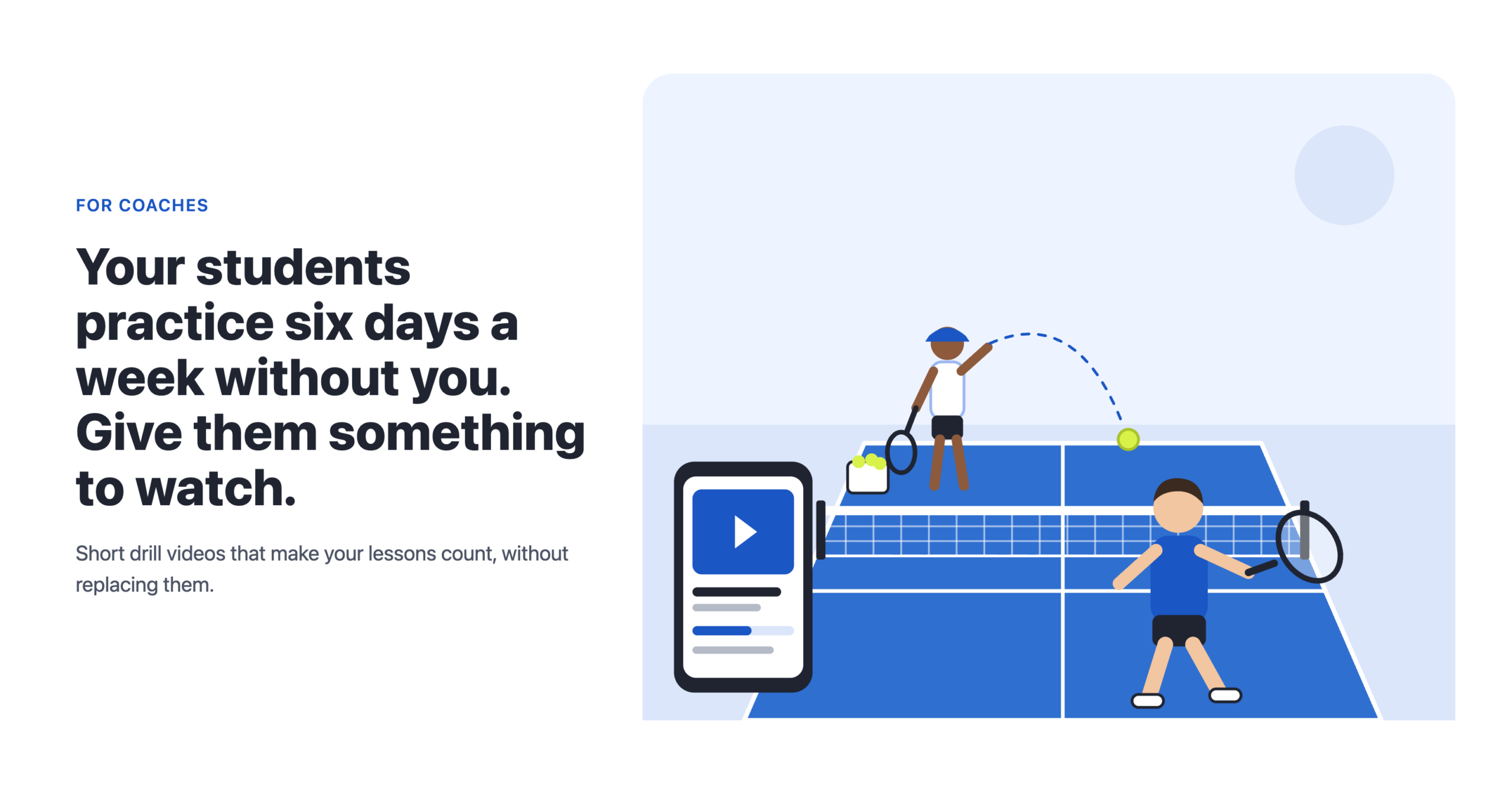
You see your students for an hour a week. What happens the other six days decides how fast they improve.
If you coach, you know the pattern. A student leaves a lesson with a fixed grip or a cleaner stance. They come back a week later and half of it is gone. Not because they didn’t care, but because they practiced alone, from memory, with nobody showing them what right looks like.
That gap between sessions is where a lot of progress gets lost. It’s also where online content does its best work. Not as a replacement for you, but as the thing your students watch before they practice: the drill you assigned, the technique you broke down, the homework for this week.
This post covers why video helps between lessons, the honest answer to “won’t this cut into my lesson income?”, what to film, and how to set it up. It works for tennis, martial arts, music, dance, swimming, or any skill where students practice between sessions.
Why watching helps between sessions
People learn movement partly by watching it done well. Researchers call this observational learning, and it’s one of the better-studied ideas in skill learning.
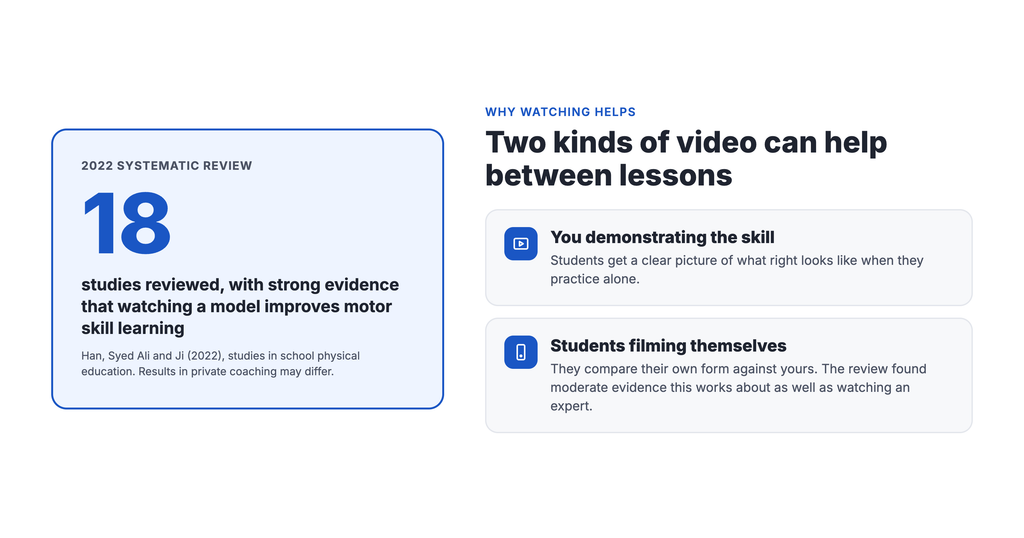
A 2022 systematic review of 18 studies in physical education found strong evidence that students who learned by watching a model improved their motor skills more than students who didn’t. It also found moderate evidence that watching an expert and watching yourself worked about equally well.
That second finding matters for coaches. It means two kinds of video can help:
- You demonstrating the skill, so students have a clear picture of what right looks like when they practice alone.
- Students filming themselves, so they can compare their swing, kata or bow hold against yours.
The research was done in school PE classes, not private lessons, so treat it as a strong hint rather than proof for your sport. And the idea is simple: a student who can picture the movement has something to aim for when you’re not there.
“Won’t this cut into my lesson income?”
It’s a common worry, and a fair one. If your drills are online, why would anyone pay for a lesson?
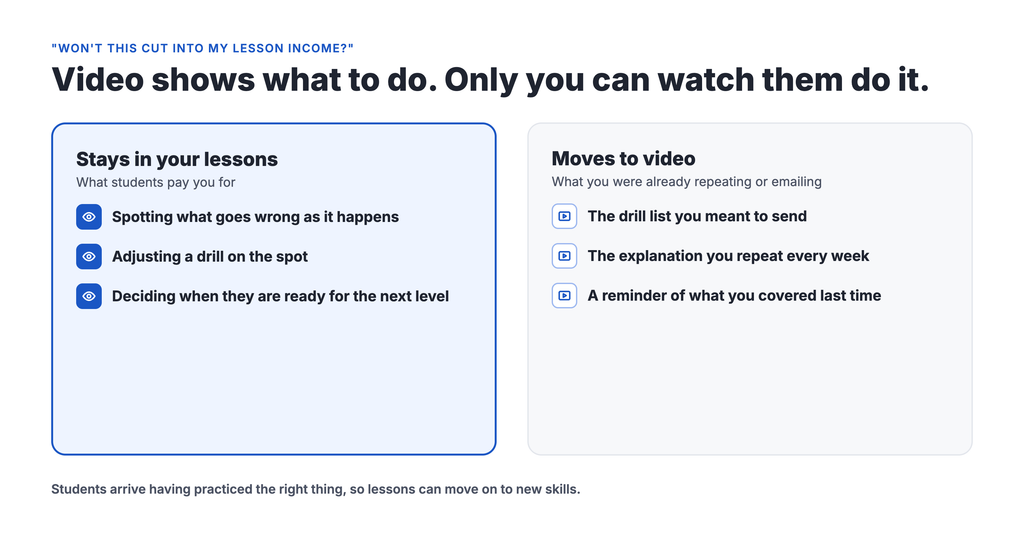
Here’s the honest answer: a video can show what to do, but it can’t watch your student do it. It can’t spot that their elbow drops on the third rep, adjust a drill on the spot, or tell them they’re ready for the next level. That’s what students pay you for, and it doesn’t move online.
What moves online is the part you were already giving away for free, or not giving at all: reminders of what you covered, the drill list you meant to email, the explanation you repeat every week. Putting that on video can make your lessons better, because students arrive having practiced the right thing. Less time fixing last week’s mistakes means more time on new skills.
You also control what you offer and to whom. You can package your drills for the students you already coach, sell some of them to people who can’t train with you in person, or both.
We don’t have data showing that adding video raises or lowers lesson income, and anyone who promises one or the other is guessing. What we can say is that you decide how it’s offered, and you can start small and see how your students respond.
What to film
You don’t need to film everything. Start with what students need most when you’re not there.
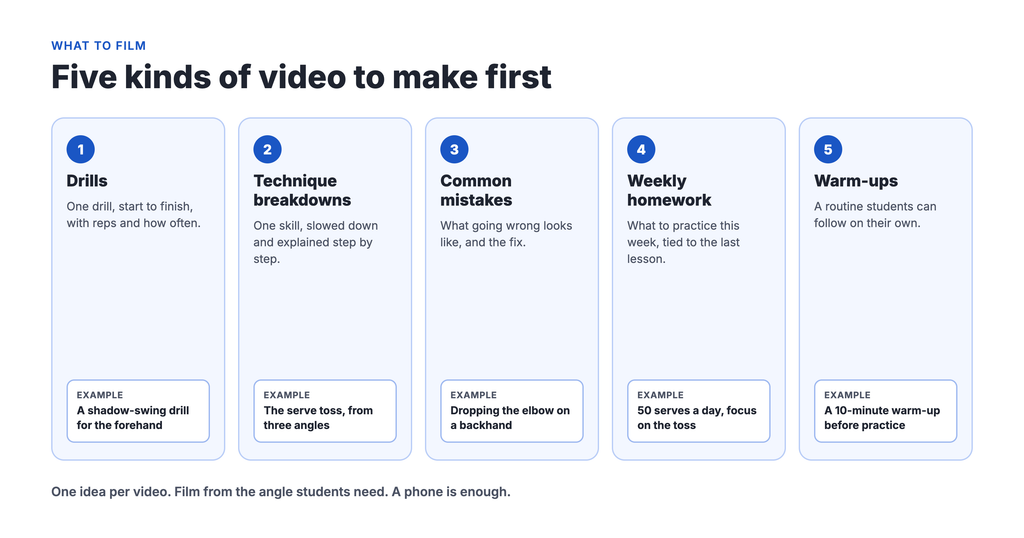
| Type of video | What it shows | Example |
|---|---|---|
| Drills | One drill, start to finish, with how many reps and how often | A shadow-swing drill for the forehand |
| Technique breakdowns | One skill, slowed down and explained step by step | The serve toss, from three angles |
| Common mistakes | What going wrong looks like, and the fix | Dropping the elbow on a backhand |
| Weekly homework | What to practice this week, tied to the last lesson | “This week: 50 serves a day, focus on the toss” |
| Warm-ups | A routine students can follow on their own | A 10-minute warm-up before practice |
A few tips that make these easier to film and easier to use:
- One idea per video. Short videos are easier to rewatch right before practice.
- Film from the angle students need. If the footwork matters, show the feet.
- Use a phone. You don’t need a studio, just good light and steady footing.
- Name videos by what they fix, not by date. “Fixing a late backswing” is easier to find than “Lesson 14.”
How to organize it on ClassSync
A drill library gets messy fast if it’s just a long list of videos. ClassSync organizes your academy into categories, sub-categories, courses and lessons. The course is what students buy, and your drills and breakdowns are the lessons inside it.
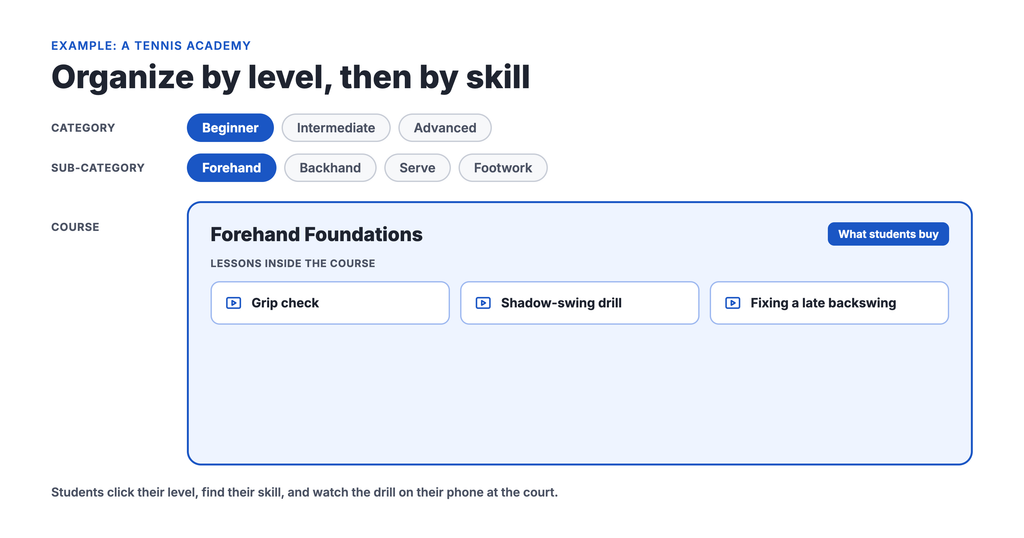
One natural setup is by level, then by skill:
| ClassSync level | Tennis academy | Martial arts studio |
|---|---|---|
| Category | Beginner, Intermediate, Advanced | White belt, Yellow belt, Green belt |
| Sub-category | Forehand, Backhand, Serve, Footwork | Forms, Sparring, Self-defense |
| Course (what students buy) | Forehand Foundations | White Belt Forms |
| Lessons inside the course | Grip check, shadow-swing drill, fixing a late backswing | Stance basics, form 1 step by step, common mistakes |
This way, a student can open your academy, click their level, and find exactly the skill they’re working on. And because students can watch on a phone, tablet or laptop, they can pull up the drill right at the court or on the mat.
How to offer it
On ClassSync you can sell a single course, a course bundle, a membership with ongoing access to all your courses, or a bundle membership with ongoing access to a group of courses you choose. For coaches, that opens up a few setups:
| Who it’s for | What to offer | Example |
|---|---|---|
| Students you coach in person | A bundle membership for their level, as an add-on to lessons | Intermediate students get every Intermediate course |
| Students who want one skill fixed | A single course | Serve Foundations |
| Families who want the whole program | A membership | Every course, every level |
| People who can’t train with you in person | Courses or bundles sold on their own | A beginner bundle for players in another city |
You can start with just the first row. Offer the drill library to the students you already coach and see how they use it before you sell anything to new people.
It also helps when you can’t be there. If you travel, take time off or have a slow season, students still have something to practice with.
Frequently asked questions
Will online videos replace my in-person lessons?
They shouldn’t, if you set them up as practice support. A video can show a drill, but it can’t watch a student, correct them in the moment or decide when they’re ready to move on. That stays in your lessons.
Does watching videos actually help students learn a skill?
Research suggests it does. A 2022 systematic review of 18 physical education studies found strong evidence that observational learning, watching a model perform a skill, improves motor skill learning. The studies were in school PE, so results in private coaching may differ.
What should a coach film first?
Start with the drill or skill your students struggle with most between lessons. One short course of drills for that skill is enough to begin.
How do I organize drills on ClassSync?
Use levels as categories (Beginner, Intermediate), skills as sub-categories (Forehand, Serve), and a focused set of drills as a course (Forehand Foundations). Each drill is a lesson inside the course.
Can students watch on their phone at practice?
Yes. Students can watch on a phone, tablet, laptop, desktop or smart TV.
Start with one drill
You don’t need a full library to begin. Pick the one thing your students keep getting wrong between lessons, film the drill that fixes it, and share it with them this week. See what changes when they come back.
See how a full program looks in our demo academies, Ryman Arts and Ivy Mathematics. When you’re ready, choose a plan and build your first course.